Commercial and residential parking
Match the site layout, traffic rule and integration boundary before quotation.
3.1.1 / Smart Parking product family
Compare Bosiny boom barrier gate records by boom length, opening frequency, motor duty, safety devices and LPR or access integration.
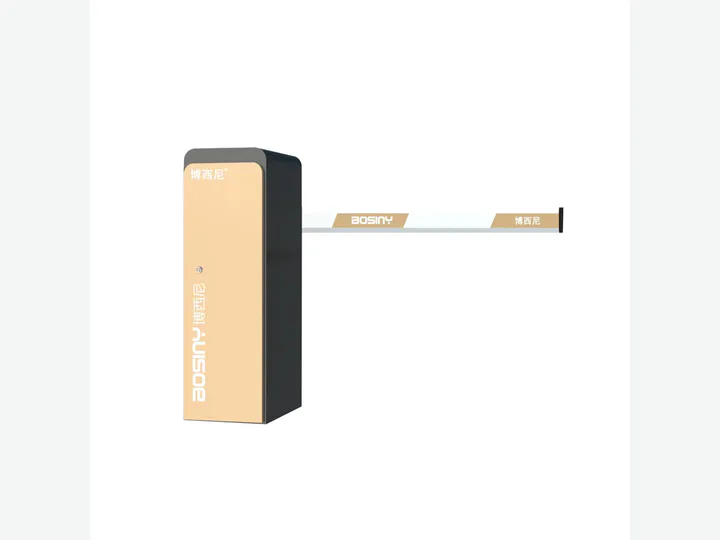 Boom Barrier Gates / Alibaba catalog representative visual
 Direct answer
Boom barrier gates control vehicle entry with a rotating arm. The right configuration depends on lane width, traffic frequency, arm type, safety detection and the upstream decision source such as staff control, RFID or LPR.
Use this family when the vehicle lane and opening duty are known and the project has defined how vehicles will be authorized and protected from arm impact.Application fit
Match the site layout, traffic rule and integration boundary before quotation.
Match the site layout, traffic rule and integration boundary before quotation.
Match the site layout, traffic rule and integration boundary before quotation.
Buyer checklist
What clear lane width and boom length are required?
How many opening cycles occur during the peak hour?
Which loop, radar or other anti-smash devices are required?
Will release come from LPR, RFID, remote control or an operator?
Model confirmation
Send the lane, credential, integration, quantity and destination requirements. Bosiny will return a matched model shortlist and reconfirm the applicable parameters and evidence before quotation.
Integration boundary
3.1.1 / Current catalog coverage
Use the catalog directory to browse the current model records. Exact product identity, parameters, product media and supporting evidence are reconfirmed before project qualification.
Evidence and RFQ path
Review the evidence inventory and model-specific qualification boundary.
02Buyer resourcesRequest catalogs, datasheets, installation and wiring material.
03Related solutionParking Lot Barrier Gate Solution
04Project briefSend quantity, destination, site conditions and required integration.
Application routes
Procurement FAQ
Use this family when the vehicle lane and opening duty are known and the project has defined how vehicles will be authorized and protected from arm impact. Typical applications include Commercial and residential parking, Factory and logistics vehicle gates, Hospital, campus and public parking.
What clear lane width and boom length are required? How many opening cycles occur during the peak hour? Which loop, radar or other anti-smash devices are required? Will release come from LPR, RFID, remote control or an operator?
No. Dimensions, interfaces, environmental limits and certificate or test scope are model-specific. Bosiny confirms the selected model and applicable evidence during the RFQ process.
Boom Barrier Gates