Office and meeting-room doors
Match the site layout, traffic rule and integration boundary before quotation.
1.2.2 / Access Control product family
Compare Bosiny smart lock catalog records by door fit, credential method, power strategy and management workflow before model confirmation.
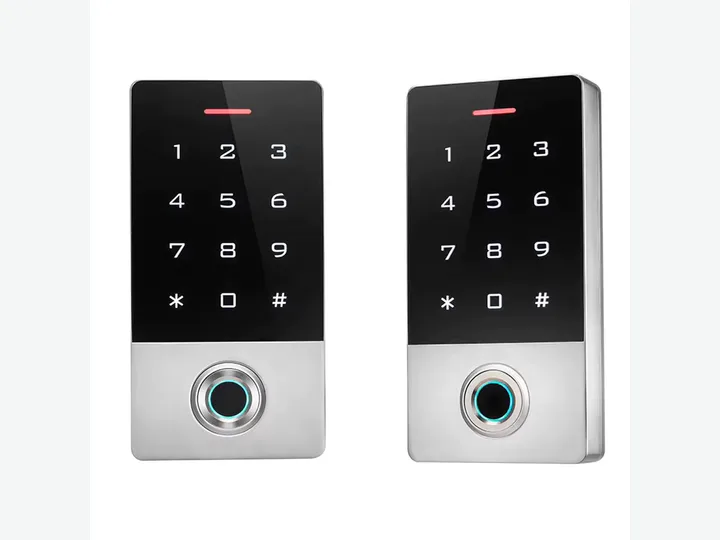 Smart Locks & Door Hardware / representative visual
 Direct answer
Smart locks combine door hardware with electronic credentials and local or connected management. Mechanical fit remains the first decision because the lock body, door thickness and handing determine whether the product can be installed safely.
Use this family for door-level access where the door condition, credential method and emergency opening policy are known.Application fit
Match the site layout, traffic rule and integration boundary before quotation.
Match the site layout, traffic rule and integration boundary before quotation.
Match the site layout, traffic rule and integration boundary before quotation.
Buyer checklist
What door material, thickness and lock-body format are present?
Which credentials are required: card, PIN, fingerprint, app or key?
Will the lock use batteries, wired power or both?
How will users, logs and emergency access be managed?
Model confirmation
Send the lane, credential, integration, quantity and destination requirements. Bosiny will return a matched model shortlist and reconfirm the applicable parameters and evidence before quotation.
Integration boundary
1.2.2 / Current catalog coverage
Use the catalog directory to browse the current model records. Exact product identity, parameters, product media and supporting evidence are reconfirmed before project qualification.
Evidence and RFQ path
Review the evidence inventory and model-specific qualification boundary.
02Buyer resourcesRequest catalogs, datasheets, installation and wiring material.
03Related solutionOffice Building Turnstile Solution
04Project briefSend quantity, destination, site conditions and required integration.
Application routes
Procurement FAQ
Use this family for door-level access where the door condition, credential method and emergency opening policy are known. Typical applications include Office and meeting-room doors, Apartment and staff accommodation, Glass-door and equipment-room access.
What door material, thickness and lock-body format are present? Which credentials are required: card, PIN, fingerprint, app or key? Will the lock use batteries, wired power or both? How will users, logs and emergency access be managed?
No. Dimensions, interfaces, environmental limits and certificate or test scope are model-specific. Bosiny confirms the selected model and applicable evidence during the RFQ process.
Smart Locks & Door Hardware